
The Apple Savings Account is a high-yield savings account available to Apple Card users. The account, which was launched by the technology giant in April 2023, has no monthly fees, no minimum deposits, and no minimum balance requirements.
But with so many free online savings accounts available today, is the Apple Savings worth it? And how does its APY compare to other high-yield savings accounts? We'll answer those questions and more in our full review.
Quick Summary
- No-fee savings account available to Apple Card users
- Competitive 3.65% APY
- No monthly fees or minimum balance requirements
|
Apple Savings Account Details |
|
|---|---|
|
Product Name |
Apple Savings Account |
|
Minimum Balance |
$0 |
|
Monthly Fee |
$0 |
|
Savings APY |
3.65% |
|
Promotions |
None |
What Is Apple?
Apple is a technology company based in the Silicon Valley of California. In fact, it's one of the largest companies in the world, ranked third behind NVIDIA and Microsoft, based on its market cap of over $3 trillion. Because Apple is not a financial institution, both its credit card and savings account are provided by Goldman Sachs.
What Does It Offer?
The Apple Savings Account is only available to Apple Card users. The Apple Card is a credit card (Mastercard) with some unique features. Here's a closer look at what to expect from the Apple Card and the Apple Savings Account.
Note: The Apple Card is different than Apple Cash, which is built into your iPhone's Wallet. You can apply for the Apple Card in your Apple Wallet, or by clicking through in the Apple Store (not App Store).
Apple Card
The Apple Card is a no annual fee credit card offered by Apple and issued by Goldman Sachs. It's designed to blend seamlessly with your iPhone's Wallet app. This allows you to easily track your spending and manage your payments. The Apple Card also offers cash back rewards, known as Daily Cash, on all of your card purchases. This includes bonus cash back for Apple purchases and purchase made using Apple Pay. In places where Apple Pay is not accepted, you can use the physical card, which is made of titanium.
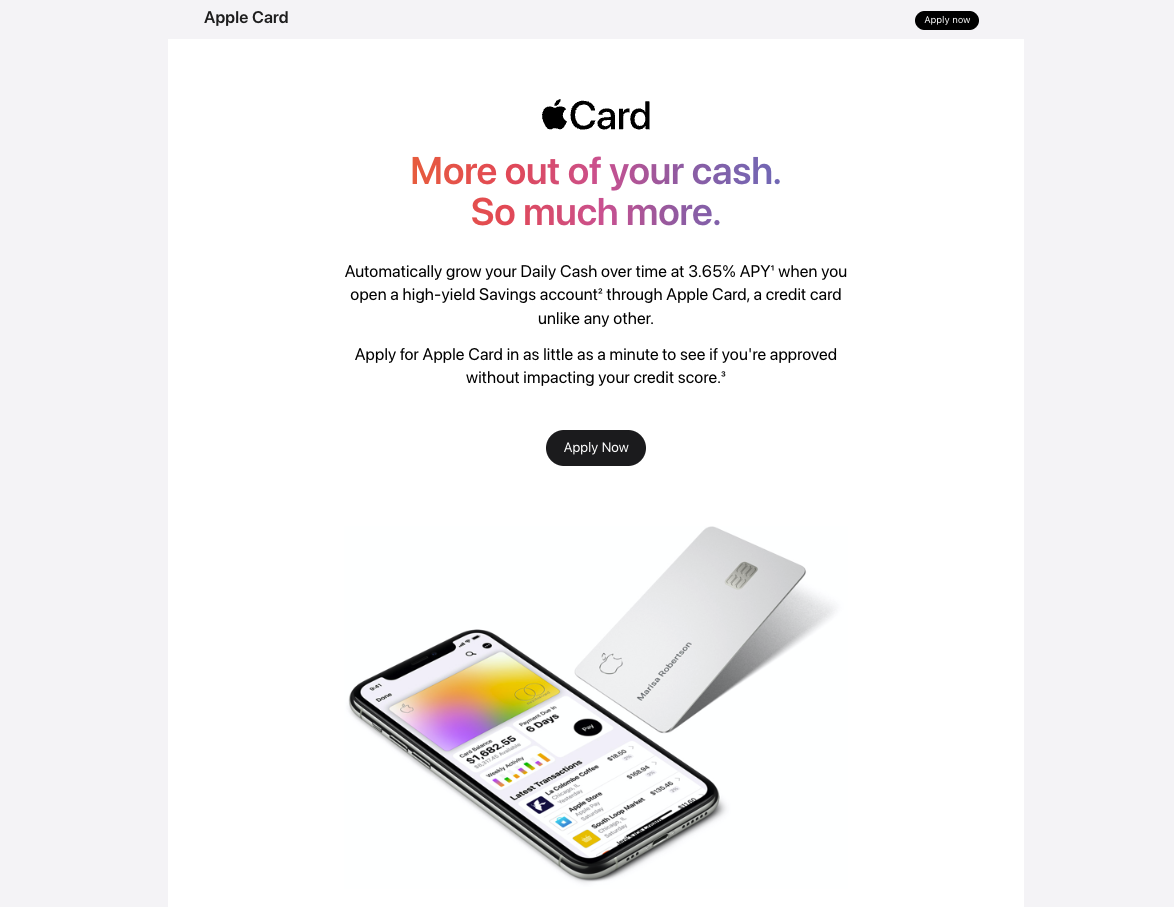
Here are the key features of the card:
- No annual fee
- Variable APR 18.24% – 28.49%
- Earn 3% Daily Cash back at Apple and select merchants
- Earn 2% Daily Cash back when you use Apple Pay
- Earn 1% Daily Cash back for physical card purchases
- No foreign transaction fees
- Privacy-focused design
- Pair with an Apple Savings Account for increased savings
Apple Savings Account
The Apple Savings Account is a no-fee, high-yield savings account. You must have an Apple Card to open an Apple Savings Account, but if you do, it comes with several benefits. You can fully manage your Savings account within the Wallet app on your iPhone. There are no monthly fees, no minimum balance requirements, or minimum deposits at account opening.
Here's a list of key features:
- No monthly fees
- Competitive APY (3.65% as of July 10/2025)
- Interest is compounded daily and paid monthly
- No minimum deposit
- Unlimited transactions
- No opening deposit required
- Automatically deposit your Apple Card Daily Cash into your savings account
- Add funds from any linked banking account
- Transfer your savings balance to Apple Cash
- Manage your account from the Wallet app
- FDIC-insured
Note: Must have an active Apple Card to qualify
How Can I View My Account Balance?
As mentioned, the Apple Savings account can be fully managed from the Wallet app on your iPhone. For example, to view your balance, you simply open your Wallet app and tap on the Apple Card. Then, tap “Savings Account”. You will see your “Current Balance”, which includes pending transactions.
To see your “Available Balance”, select “More”. This will show you how much you can withdraw from your account immediately.
How Do I Transfer Money From My Apple Savings To My Bank Account?
You can transfer money in and out of your Apple Savings Account by linking an external bank account. Open your wallet app, and select “Apple Card”. Select your Savings account, then tap “Withdraw”. Enter your withdrawal amount, then tap “Next”. Your bank account will be listed as an option in the Transfer To field. You will have the option of confirming your transfer by double-clicking your iPhone's side button and then using Face ID, Touch ID, or your passcode to verify.
How Do I Transfer Money From My Apple Savings To Apple Cash?
You also have the option of transferring money in your Apple Savings to your Apple Cash, which is Apple's Peer-to-peer payment service. To do this, open the Wallet app and select “Apple Card”. Tap on “Savings Account”, and select “Withdraw”. Enter your withdrawal amount, then select “Next”. Apple Cash should be listed in the “Transfer To” field. If it isn't, tap “Transfer To”, then select “Apple Cash”. To confirm the transfer, you'll need to double-click your iPhone's side button, and use Face ID, Touch ID, or your passcode to verify.
Are There Any Fees?
The Apple Savings Account does not charge any monthly maintenance fees.
How Does The Apple Savings Account Compare?
The Apple Savings Account is a compelling option for Apple card users, but other online banks offer higher savings APYs. For example, CIT Bank is currently paying up to 4.00% APY on its Platinum Savings account. And Western Alliance Bank is offering an even higher 4.25% APY on its savings account.
|
Header
|
|
 |
 |
|---|---|---|---|
|
Rating |
|||
|
Monthly Fees |
$0 |
$0 |
$0 |
|
APY On Savings |
3.65% |
4.00% |
4.25% |
|
Minimum Opening Deposit |
$0 |
$100 |
$500 |
|
Cell
|
How Do I Open An Account?
Apple lists the following eligibility criteria for opening an Apple Savings Account:
- You must be an active Apple Card account owner or co-owner
- You must add your Apple Card to your iPhone
- 18 years of age or older
- U.S. resident with a valid, physical U.S. address
- Have a valid SSN or TIN
- Have 2FA set up on your Apple account
If you meet these criteria and wish to open an account, simply open the Wallet app on your iPhone, and tap your Apple Card. Tap the “More” button, and then select “Rewards & Offers”. Beside Savings, select “Set Up”, and follow the instructions on the screen.
Is It Safe And Secure?
Yes, opening and operating an Apple Savings Account is safe. For starters, the account is offered by Goldman Sachs, which is a reputable bank, and an FDIC-member institution. Your account is fully managed inside the Wallet app on your iPhone, and employs various security features, including two-factor authentication, Face ID, Touch ID, and passcodes
How Do I Contact Apple?
For questions about your Apple Card or Apple Savings Account, contact Goldman Sachs at Goldman Sachs at 1-877-255-5923.
Is It Worth It?
If you are an Apple Card owner, then the Apple Savings Account might be well worth it, solely for the convenience. You can access both accounts from the Wallet app on your iPhone, transfer your Daily Cash rewards into your Apple Savings, and earn a competitive 3.65% APY. Of course, there are no fees, no minimum balance requirements, and you can make purchases using Apple Pay or physical card.
If you don't have or plan to have an Apple Card, there are better savings account options, as other online banks offer higher APYs, ATM access, and more products, such as checking accounts, certificates of deposit (CDs), and investments.
Apple Savings Features
|
Account Types |
Apple Savings Account |
|
Monthly Fees |
$0 |
|
Minimum Balance Requirement |
None |
|
Transaction Limits |
None |
|
Minimum Opening Balance |
$0 |
|
Cash Back Rewards |
Up to 3% with Apple Card |
|
Branches |
No |
|
ATM Availability |
No |
|
Customer Service Number |
1-877-255-5923 (Goldman Sachs) |
|
Mobile App Availability |
Yes |
|
Web/Desktop Account Access |
No |
|
FDIC-insured |
Yes |
|
Promotions |
None |
Editor: Robert Farrington
The post Apple Savings Account Review: Pros and Cons appeared first on The College Investor.