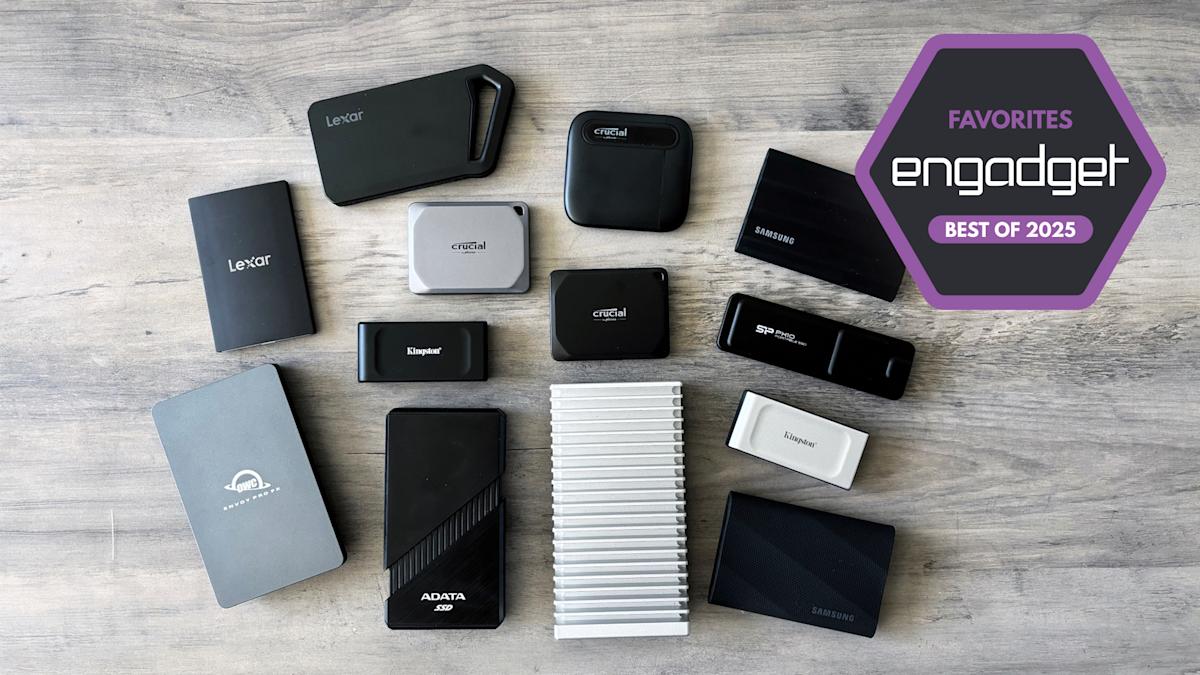

Whether you're backing up important files, editing videos on the go or just freeing up space on your laptop, a fast and reliable SSD drive can make your workflow a whole lot smoother. The best portable SSD options in 2025 combine speed, durability and wide compatibility, often using USB Type-C connections for quick transfers across devices. Unlike a traditional thumb drive or even the best external hard drives, these compact powerhouses can offer faster read speeds, often hitting several hundred or even thousands of Mbps, especially with high-performance NVMe SSD models.
Whether you're managing large files or launching apps directly from your drive, we've rounded up the best SSDs that deliver excellent performance without weighing you down.
Table of contents
Best external SSDs for 2025
Capacities: 1TB, 2TB, 4TB | Size: 2.56 x 1.97 x 0.39 inches | Weight: 1.34 ounces | USB interface: USB 3.2 Gen 2 | Controller/bridge chip: Silicon Motion SM2320 | NAND type: TLC | Rated maximum sequential speeds: 1,050 MB/s read, 1,050 MB/s write | Warranty: Five years
The Crucial X9 Pro finished at or just under the top in each of our benchmarks relative to its speed class, and it stayed noticeably cooler than most of the other drives we tested after extended use. It’s a USB 3.2 Gen 2 model, so it’s slower than alternatives based on Thunderbolt, USB4 or USB 3.2 Gen 2×2, but it costs less, and it’s still quick enough for the non-professional tasks most people do with a portable SSD. Ports that can actually utilize USB 3.2 Gen 2 speeds tend to be more ubiquitous on mainstream computers, too. This isn’t the cheapest 10 Gbps drive around, but it’s in the same ballpark as its peers and isn’t too expensive. As of this writing, a 1TB model is available for $95, though it often goes for less. (We’ve seen it fall as low as $60 in the past.) 2TB and 4TB versions are also available.
Besides its relatively speedy performance, the X9 Pro stands out for being so tiny. Its aluminum case is shorter than a credit card and easy to fit in a pocket, weighing in at just 1.34 ounces. The whole thing is IP55-rated, so it’ll survive dust and water splashes, and it’s backed with a five-year warranty, which is a couple years longer than some alternatives.
Our only real complaints are that the included USB-C cable is small and there’s no adapter for USB-A ports in the box. And while the X9 Pro can utilize 256-bit hardware-based encryption, Micron (Crucial’s parent company) hasn’t released its own password protection tool to take full advantage of it. We’ll also note that there’s a cheaper non-”Pro” X9, but that one uses QLC flash, so it’s not as durable or fast (especially with sustained writes). The X9 Pro is the better buy.
- Great performance for its speed class
- Rugged and super compact form factor
- Stays relatively cool with extended use
- Five-year warranty
- There are cheaper 10 Gbps drives
- Included USB-C cable is short, and there's no USB-A cable in the box
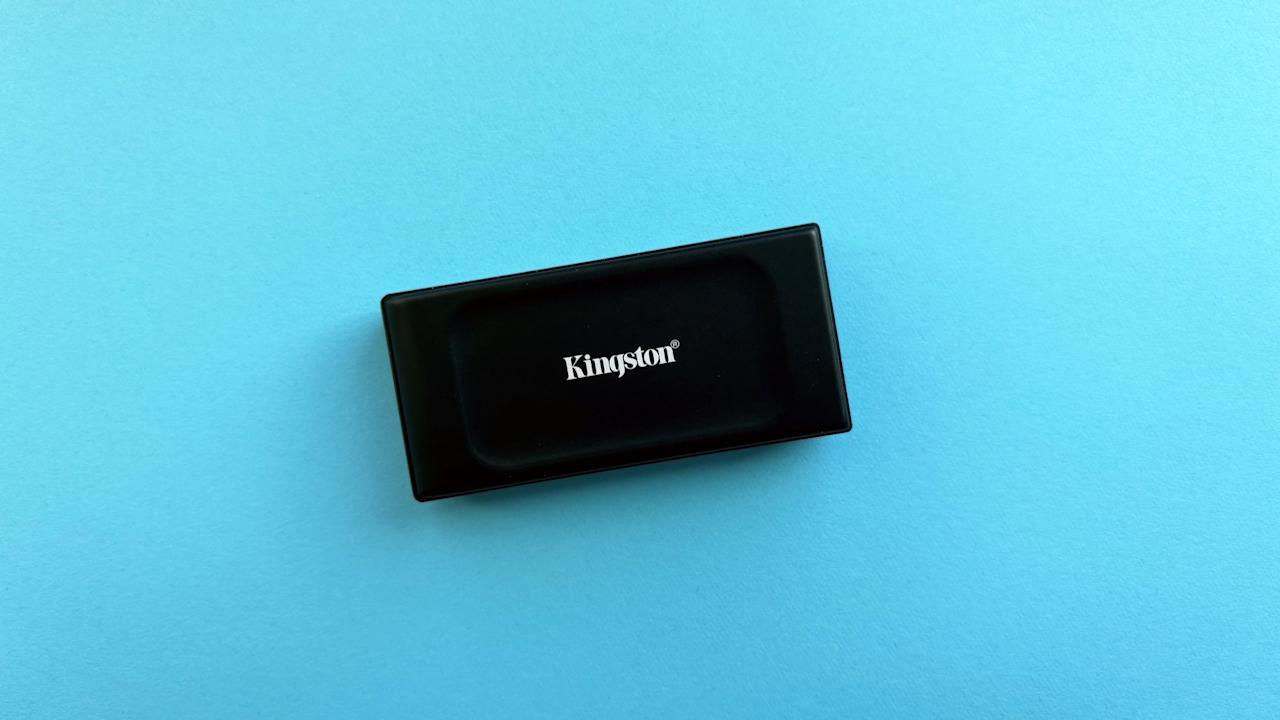
Photo by Jeff Dunn / Engadget
Capacities: 1TB, 2TB | Size: 2.74 x 1.28 x 0.53 inches | Weight: 1.01 ounces | USB interface: USB 3.2 Gen 2 | Controller/bridge chip: Silicon Motion SM2320 | NAND type: TLC | Rated maximum sequential speeds: 1,050 MB/s read, 1,000 MB/s write | Warranty: Five years
The Kingston XS1000 performs similarly to the Crucial X9 Pro but often retails for less, so it’s a good alternative if you want to save some cash. A 1TB model is available for $75 as we write this, which is $20 less than the X9 Pro, while the 2TB version is down to $120, which is a roughly $30 drop. There’s no 4TB option, though.
At those prices, the XS1000 is a good value for everyday backups and transfers. It kept up with or slightly edged the X9 Pro across our benchmarks: In our custom file transfer test, for example, its reads were a second faster, while its writes were only six seconds slower. (The two drives appear to have comparable internals and are based on a similar controller — the Silicon Power SM2320G — so this may not be a huge surprise.) It topped every USB 3.2 Gen 2 drive we tested in 3DMark’s gaming storage benchmark as well. It’s slightly thicker than the X9 Pro but still wonderfully portable, with its stubby rectangular design weighing just over an ounce. Like the Crucial drive, it’s backed by a five-year warranty.
Where Kingston’s model falls behind Crucial’s X9 Pro is in the extras. There’s no formal IP or drop ratings, so we wouldn’t feel as comfortable chucking it around on the go. It lacks hardware-based encryption, and it only comes with a USB-C to A cable, so you’ll need to supply your own adapter if your laptop only has USB-C ports. It doesn’t stay quite as cool as the X9 Pro with continuous use, and its sustained write performance isn’t as fast either, so it’s worth paying up if you plan to regularly copy hundreds of gigabytes to the SSD (and can’t just get a higher-class model). For the money, though, all of this may be easier to overlook.
- Faster than most 10 Gbps drives we tested
- Aggressively priced
- Highly portable
- Five-year warranty
- No formal water-resistance or drop protection
- No USB-C to C cable in the box
- Only available in 1TB or 2TB
- Slower sustained write performance than X9 Pro with very large files
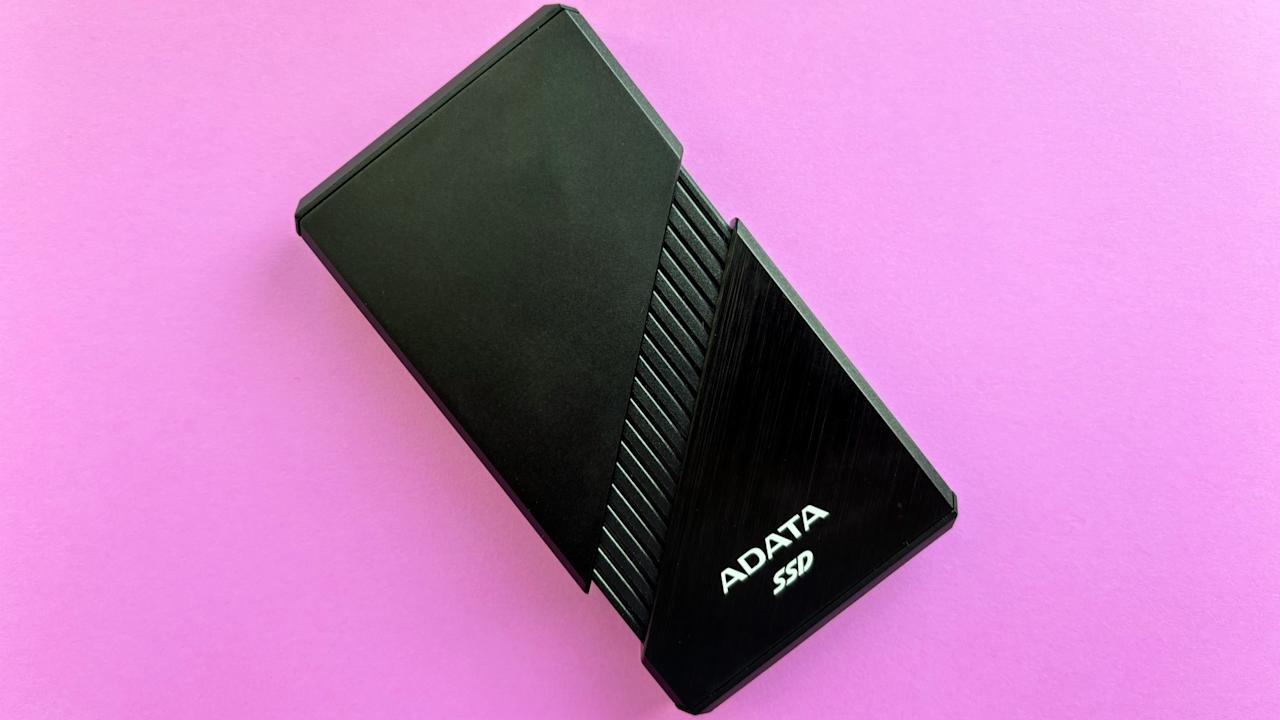
Photo by Jeff Dunn / Engadget
Capacities: 1TB, 2TB, 4TB | Size: 4.13 x 2.52 x 0.62 inches (with fan off), 4.82 x 2.52 x 0.62 inches (with fan on) | Weight: 6.4 ounces | USB interface: USB4 (40 Gbps) | Controller/bridge chip: Asmedia ASM2464PD | NAND type: TLC | Rated maximum sequential speeds: 3,800 MB/s read, 3,700 MB/s write | Warranty: Five years
If you’re a media editor, IT professional or just an enthusiast willing to pay for a significantly faster portable SSD, get the . It uses the newer USB4 interface and blew away every non-40 Gbps drive we tested across our benchmark tests.
In AmorphousDiskMark, for example, the Crucial X9 Pro delivered sequential reads and writes around 1,015 MB/s and 950 MB/s, respectively; with the SE920, those were about 3,350 MB/s and 3,125 MB/s. In our custom mixed file transfer test, we were able to move our 70GB folder to our MacBook in 32 seconds; with the X9 Pro, that process averaged about 81 seconds. Writing the folder to the drive, meanwhile, was about 30 seconds faster. If you’re buying an external SSD to move around large chunks of data, this kind of leap adds up.
The drive itself is significantly bigger and thicker than either of our picks above, but it’s not so large that we’d call it unwieldy. It’s about the size of a deck of cards, so it’ll fit better in a bag than a pants pocket. Beyond that, the brushed metal exterior feels crisp to the touch, and ADATA supports the device with a five-year warranty.
That said, this thing can get seriously hot. The design includes a built-in micro fan to help dissipate heat, which you activate just by clicking the case down; that’s clever, but it’s not enough to keep the drive cool on its own. All of this comes at a price premium, too, with a 1TB model currently available for $180. But if performance is the only thing that matters to you, it should be worthwhile.
- Blazingly fast 40 Gbps performance
- Slick metal enclosure
- Smaller than other USB4 and Thunderbolt SSDs we tested
- Clever built-in fan
- Five-year warranty
- Gets hot even with fan activated
- Pricier and still larger than other picks
- Requires USB4 port to reach maximum speeds
Other external SSDs we tested
The pre-built OWC Express 1M2 is a premium-feeling USB4 SSD that’s roughly as fast as the ADATA SE920, but it’s larger and significantly more expensive as of this writing.
If you’re in the relatively small group with a PC that supports USB 3.2 Gen 2×2 but not Thunderbolt or USB4, the Crucial X10 Pro is essentially a faster version of our top pick. The Lexar SL600 is a larger but slightly quicker option, while the Lexar SL500, Kingston XS2000 or Samsung T9 could also work if you see them on discount. As a reminder, though, drives like these are aimed primarily at content creators and other professionals, and you have to make sure you won’t upgrade to a device with a faster USB interface anytime soon.
The Samsung T7 Shield has a conveniently rugged design with a rubberized, IP65-rated shell. It also comes with both USB-C and USB-A cables. But it was consistently slower than the X9 Pro and XS1000 in our benchmark tests, plus it has a shorter three-year warranty.
The Silicon Power PX10 is an especially affordable USB 3.2 Gen 2 model. Its peak speeds weren’t too far off the X9 Pro or XS1000 in synthetic benchmarks, but it can get distractingly hot and its sustained writes are markedly worse. It took 50 seconds longer to move our 70GB custom test folder to this drive compared to the X9 Pro, for example.
The Crucial X6 is another low-cost option that’s a good bit slower than our top picks. It’s limited to a three-year warranty and lacks an IP rating as well. It’s not a terrible option for the basics, but there’s little reason to get it over the XS1000 when their prices are similar.
The OWC Envoy Pro FX is well-built and supports Thunderbolt 3 and USB 3.2 Gen 2, but it’s a smidge slower than the SE920 and Express 1M2, and it’s much pricier than the former.
What to consider before buying an external SSD
Capacity
The first thing to figure out before buying a portable SSD is just how much storage space you need. Most of the SSD drives we considered for this guide are available in capacities ranging from one to four terabytes, though plenty of smaller and larger options exist.
There’s no hard-and-fast rule for which size is “best” — that’ll ultimately depend on your budget and what exactly you’re looking to stash. But in general, it’s better to overcompensate than underdo it. Nobody wants to be forced into buying a second drive because they filled the first one up too quickly. If you’re backing up a PC, a good rule of thumb is to buy an external SSD with twice as much space as your computer’s internal storage. This way, you can save at least one full backup while also having room for additional data. If you want to store a bunch of PlayStation or Xbox games with huge install sizes, you may need more space. If you just want to back up a small collection of files, you may be better off saving your cash and just getting a smaller USB flash drive or thumb drive instead, which aren’t quite the same as the best portable SSDs we tested for this guide.
Price
In general, you get a better price-per-gigabyte ratio the further you go up the capacity ladder. As of this writing, the 1TB Samsung T9 is priced at $130, or $0.13 per gigabyte (GB), while the 4TB version is available for $297 or $0.07 per GB. That technically makes the larger model a better “value,” but not everyone needs to pay that much more upfront.
SSDs in the same speed class tend to not vary too wildly in terms of performance, so part of our decision-making for this guide came down to which ones are often the cheapest. But prices can fluctuate over time; if you see that one of our top picks is priced way higher than a comparable honorable mention, feel free to get the latter. At this point in time, costs are broadly trending upwards for even the best SSDs.
Speed and USB interface
Just about all external SSDs are significantly faster than mechanical hard disk drives (HDDs), so you’ll save time waiting for files to transfer and games to load no matter what. Within the market, however, there are distinct performance tiers. These are defined in large part by the USB interface a drive supports. While all of the SSDs we considered for this guide can connect over USB Type-C, some USB-C connections can supply faster transfer speeds than others. Sorting through this can get real confusing real fast, so we’ll try to put it in simple terms.
You can essentially divide today’s crop of portable SSDs into different segments. At the very top are drives that utilize the (relatively) new Thunderbolt 5 standard, which has a theoretical maximum transfer rate of 80 gigabits per second (Gbps). (You may see it advertise speeds up to 120 Gbps, but that boost doesn’t apply to storage devices.) But portable SSDs that support this tech only just started to trickle out toward the end of 2024, and the market for devices with Thunderbolt 5 ports is still fairly limited, with the most notable exceptions being Apple’s top-end Macs with an M4 Pro or M4 Max chip.
Thunderbolt 5 is built on a spec called USB4, which can technically reach up to 80 Gbps as well but is more typically available in a flavor that tops out at 40 Gbps. Portable SSDs based on that standard started to roll out toward the end of 2023 but are still relatively infrequent. The older Thunderbolt 3 and Thunderbolt 4, which other high-end external SSDs continue to use, support the same 40 Gbps maximum.
A third version of USB4, meanwhile, maxes at 20 Gbps, as does an older yet more frequently used standard called USB 3.2 Gen 2×2. Below that is USB 3.2 Gen 2, which maxes at 10 Gbps. Then there’s USB 3.2 Gen 1, which is capped at 5 Gbps. Lastly, we’ll bundle together SSDs that use older standards and aren’t worth considering here.
To make this easy: For everyday folks, a good USB 3.2 Gen 2 drive is the sweet spot between fast-enough performance, wide-enough compatibility and cheap-enough price, so those make up our primary recommendations above. If you work in a creative field or don’t mind paying extra to shave seconds off your large file transfers, though, a “higher-tier” model would make sense. However, note that actual computers that utilize USB 3.2 Gen 2×2 aren’t super common — no Mac supports it, for one — and the interface is effectively being replaced by USB4.
In general, your chain is only as strong as its weakest link: If your computer only has USB 3.2 Gen 2 ports, for example, you could still use a Thunderbolt SSD, but you won’t get beyond Gen 2 speeds. Make sure you know what you’re working with before you buy.
As a refresher, storage devices are broadly measured in terms of read speeds and write speeds. The former refers to how long it takes to access something from the drive; the latter, how long it takes to save something to it. From there, you can break these metrics into sequential and random performance. Sequential speeds tend to matter more with portable SSDs, since most people use them to save or access long, constant streams of data such as a bunch of high-res photos. Random speeds would be important if you want to run video games or apps off the drive, since that’d involve reading and writing smaller, more scattered files. Either way, how well an SSD can sustain its performance with extended use is also critical.
Other performance factors and enclosures
A modern portable SSD’s speeds aren’t just about its USB interface, though. Its performance can also depend on how advanced its controller is, whether it has a native USB flash controller or a separate bridge chip to communicate with a host device, the kind and quality of NAND flash memory it uses, whether it has a DRAM cache or it’s DRAM-less, and more.
We’re simplifying things, but here are some quick tips: Drives with triple-level cell (TLC) memory aren’t as cheap as quad-level cell (QLC) SSDs, but they’re generally more reliable and they offer better write performance. Having a dedicated DRAM cache helps if you plan to hit your drive with more intense, sustained workloads, but may not be worth the extra cost for most people. Some models with native flash controllers may not perform as well as those with a bridging chip, depending on the SSD inside, but they typically draw less heat and are physically smaller. All of this is to say that an external SSD’s speeds aren’t quite as straightforward as what the manufacturer chooses to advertise on the box.
It’s also worth remembering that you can turn an internal SSD into a portable solution with a good enclosure. If you have a spare drive and don’t mind going the DIY route, this can be a cheaper and more flexible solution, though we’ve stuck to pre-built models for this guide for the sake of simplicity.
Size, durability, endurance and warranty
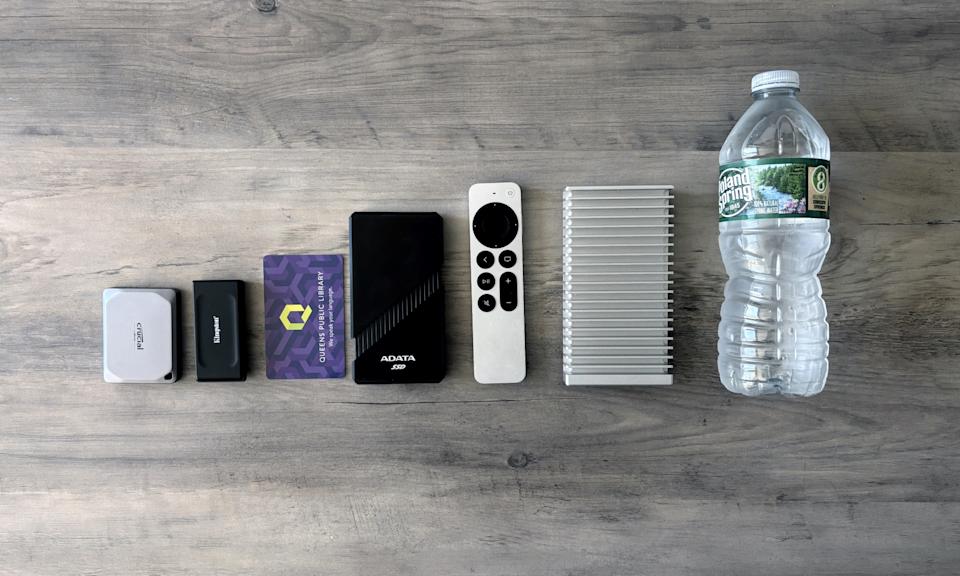
Most portable SSDs are impressively small and light, so they won’t be difficult to tuck in a bag (or even a pocket) and take on the go. We note above if any drive is bulkier than usual.
Nothing we’re talking about matters if your drive can’t last in the long term. It’s hard to definitively say which external SSDs are the most reliable, but we scoured through user reviews and feedback while researching this guide to ensure none of our picks show a pattern of catastrophic errors. If there was too much smoke around a particular model, we steered clear. We ruled out certain drives from SanDisk and Western Digital, for instance, after reports from Ars Technica and The Verge noted an issue that led to data loss (and lawsuits) in 2023.
That said, one of the big reasons you’d buy an SSD in general is its superior durability. Because it has no moving mechanical parts inside, an SSD has far fewer avenues to failure than an external hard drive. You still don’t want to be careless with them, but an accidental drop shouldn’t be the end of the world.
Some portable SSDs build on this inherent ruggedness with plastic or rubberized casings and more robust waterproofing. These aren’t necessary for everyone, but if you’re a frequent traveler or someone who often works outdoors, there are options for you.
Still, all drives can fail. If you have any sort of data you’d be distraught to lose, you should back it up regularly, then make a second backup, ideally with a cloud service. Along those protective lines, we also took note of the warranty policy for each drive we tested. Just about all of them are backed for either three or five years; of course, longer is better.
Encryption and software
It’s not uncommon to store sensitive data on a portable SSD, so some models offer extra security features like hardware-based encryption — i.e., direct scrambling of data stored on the drive itself — built-in keypads and fingerprint readers to protect against unauthorized access if the drive is lost or stolen. While not top requirements, perks like these are certainly good to have. Some SSDs also come with companion software to further manage the drive. The best of those can be handy to have around, but we wouldn’t call them essential.
How we test external SSDs
Unfortunately, we did not have access to a device that can make full use of USB 3.2 Gen 2, USB 3.2 Gen 2×2 and Thunderbolt/USB4 speeds interchangeably, so we had to split our testing across multiple devices, including an M1 Pro MacBook Pro and an Alienware gaming PC running Windows 11. Because of this, we primarily compared the portable SSDs within each “class” against one another. Before switching OSes, we reformatted each drive to each platform’s standard file system format: APFS for macOS and NTFS for Windows.
After researching which SSDs had enough positive feedback to be worth testing in the first place, we put 13 drives through a range of synthetic and “real-world” benchmark tests. On Windows, these included CrystalDiskMark, PCMark 10’s Data Drive Benchmark and 3DMark’s gaming-focused Storage Benchmark. On macOS, we used AmorphousDiskMark (effectively a Mac version of CrystalDiskMark), BlackMagic Disk Speed Test and ATTO Disk Benchmark.
We also timed how long it took for each drive to read and write a custom 70GB folder filled with roughly 11,500 different files, including photos, videos, music files, PDFs and other large and small data types scattered across numerous subfolders. We performed multiple passes for each test to avoid irregularities, and we kept track of each SSD’s heat levels over the course of the whole suite. Our process wasn't a perfect science, but it gave us a general sense of how each drive compares to other models in its price and performance range.
Recent updates
February 2025: We’ve checked to ensure the pricing info and links in this guide are still accurate. We’ve also added details on the (relatively) new Thunderbolt 5 interface, which has been implemented in a couple recent portable SSDs like the OWC Envoy Ultra and LaCie Rugged SSD Pro5. We’ll look to include testing notes for those for our next update, as they should be faster than the ADATA SE920, our current premium pick, albeit for a much higher price. For now, though, our top picks remain the same.
October 2024: We’ve taken a sweep through this guide to ensure all pricing and availability info is still correct. Our recommendations are unchanged.