
Not all browsers are created equal, especially for gamers. If you game while browsing, use Discord, watch Twitch, or check out new games often, you need more than just speed.
That’s where Opera GX comes in. This free specialized browser comes with a range of clever functions that are specifically tailored to gamers, from a resource manager to an integrated streaming sidebar. We present the five best tips and tricks for Opera GX.
Note: You can download Opera GX (for free!) for Windows, macOS, and even mobile.
1. Tame resources with one click
Foundry
We’ve all been there: the voice chat is open, a game is running in the background, a YouTube video is playing in the browser tab, and suddenly things get jerky because the system is running out of steam. Many browsers consume significantly more resources in the background than gamers would like. This is especially critical when a demanding game is already fighting for CPU and RAM.
Opera GX solves this problem with a built-in function called GX Control. This allows you to define exactly how much RAM and processor power the browser is allowed to use. The whole thing works via two simple controllers, one for RAM and one for the CPU. Once the limit is reached, the browser automatically slows down its processes so that the game continues to run smoothly.
How to activate GX Control:
- Click on the GX Control icon at the top left (it looks like a speedometer).
- Activate the RAM limiter and/or the CPU limiter.
- Use the slider to select the desired upper limit.
A small diagram shows you in real time how busy the browser currently is, and you can counteract this directly if necessary. This is real life insurance for gamers with only 8GB RAM or older systems. You can also activate a network limiter at this point.
2. Free games, deals, and release dates at a glance
Foundry
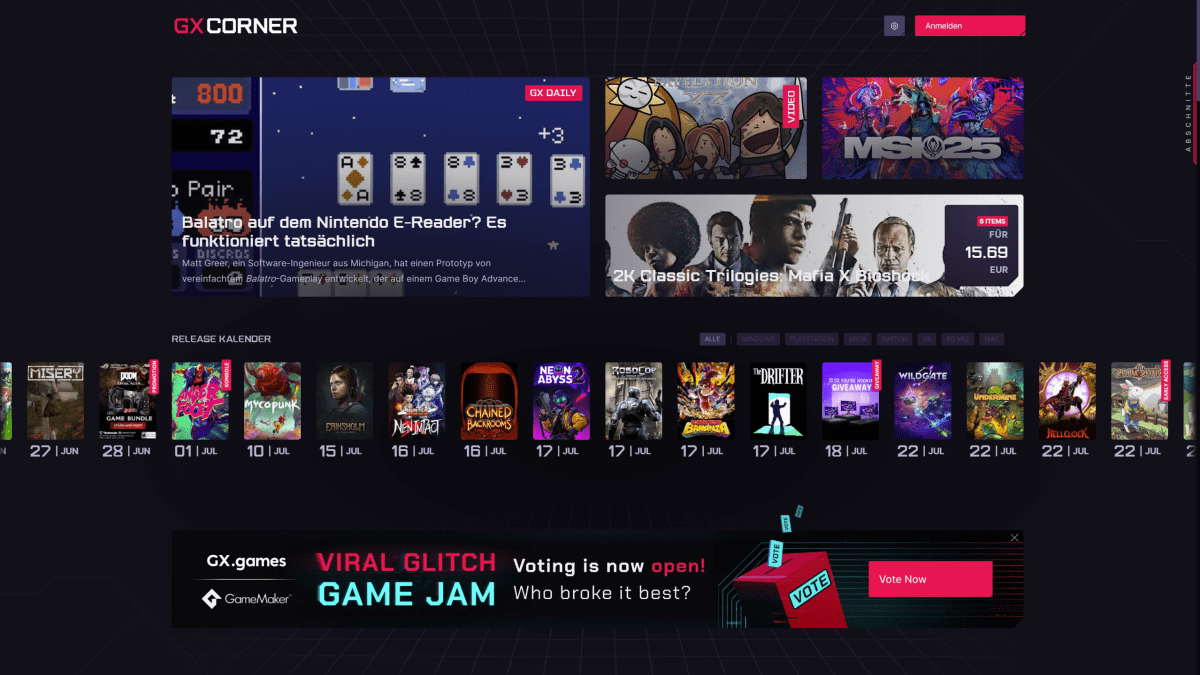
Opera GX thinks for you, even when you’re not playing games, but are looking for new titles or favorable gaming deals. That’s what the GX Corner is for: a central information hub directly in the browser that clearly lists free-to-play games, current deals, and upcoming releases.
You can find the GX Corner directly in the sidebar. Click on the small game pad at the top left (next to the GX symbol). You’ll then find it in a new window:
- A list of free games from stores such as Steam, Epic Games, or GOG
- A clear calendar with the most important gaming releases
- Top news from the world of games, e-sports, and hardware
Practical: The range of free games is updated automatically, so you won’t miss any more promotions. And, if you’re looking for new releases, you can filter by platform (e.g. PC, Xbox, PS5, Switch, or mobile games).
What we particularly like about the GX Corner is that it’s completely ad-free. Instead of banners and pop-ups, curated content awaits us here: compact, up-to-date and without annoying distractions. If you regularly browse gaming stores anyway, this feature can save you a lot of time.
Foundry
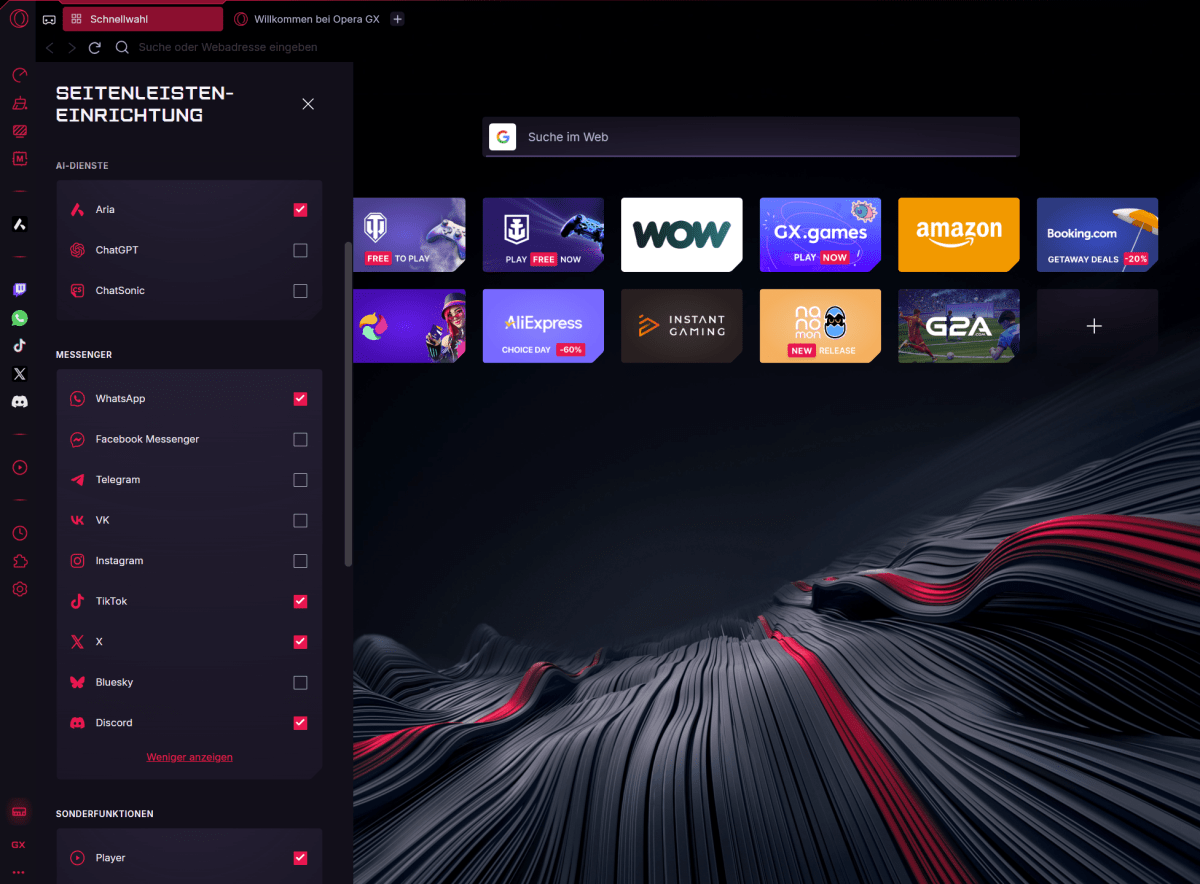
Want to game, browse, and chat simultaneously without constantly switching windows? No problem. Opera GX can anchor the most important gaming services directly in the sidebar like Twitch and Discord. (Note: Twitch is already integrated by default in the current version of Opera GX)
How to activate the integration:
- Click on the three-dot icon at the bottom of the left sidebar (sidebar settings).
- Tick the boxes for the services you want to use, such as Whatsapp and Discord.
- Now log in to the services (click on the icon in the sidebar)–done.
What happens next is virtually seamless social media access via the sidebar:
- Twitch shows which channels are live in real time, including a preview.
- Discord allows quick access to servers, chats and channels directly in the browser window.
This means you no longer have to switch back and forth between apps or tabs. This is particularly helpful if you are in a gaming session and still want to quickly clarify something in the chat or respond to a stream. The sidebar remains visible even when browser tabs are active, which is perfect for multitasking.
Tip: Telegram, Messenger, TikTok, or Spotify can also be integrated into the sidebar for maximum control with minimum distraction.
4. Hot Tabs Killer: Put an end to those background memory hogs
Foundry
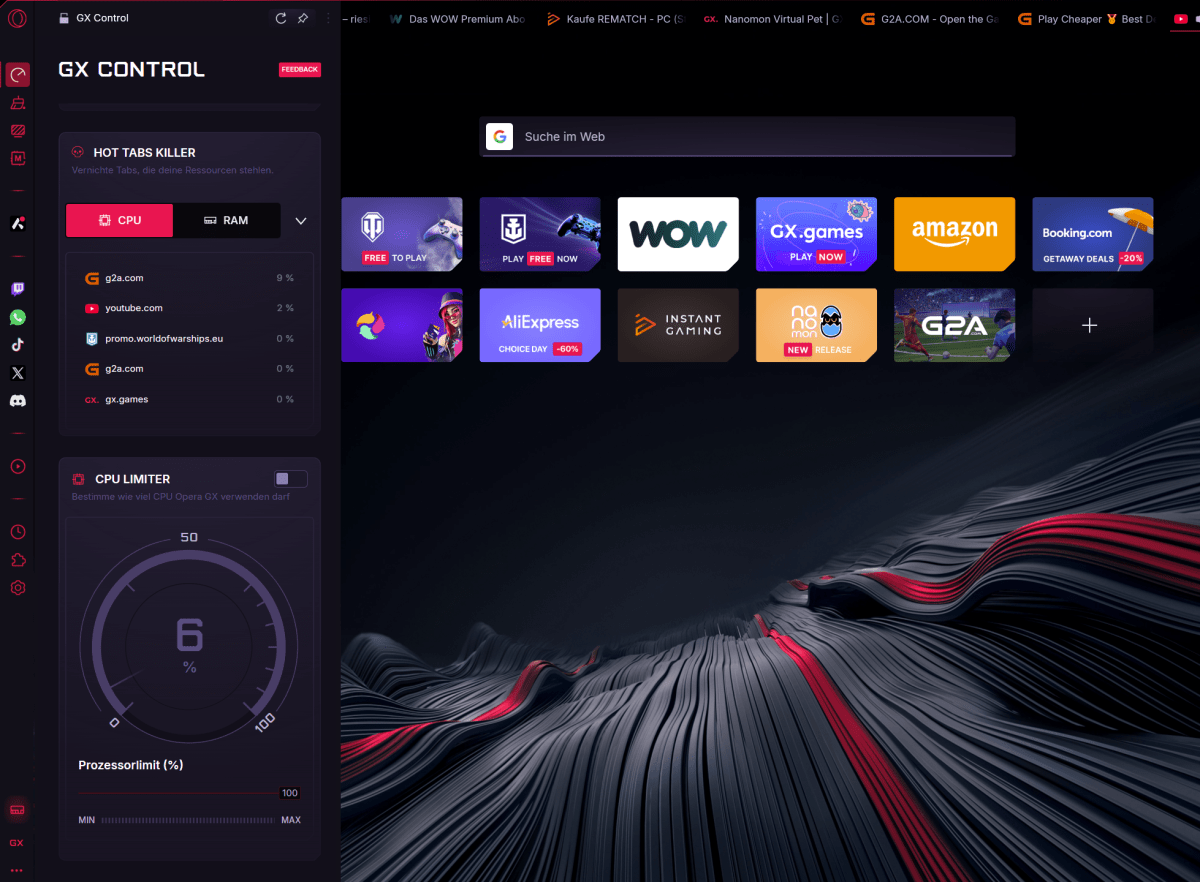
Many browsers suffer from the same problem: the more tabs you’ve got open, the slower the system runs. This gets annoying fast, especially when individual pages continue to run happily in the background. With the Hot Tabs Killer, Opera GX provides an in-built task force against precisely this phenomenon.
The tool shows you at a glance which tabs are consuming a particularly large amount of RAM or CPU, and allows you to close them directly. You get to reclaim computing power without having to guess which tab is the culprit.
How to use the Hot Tabs Killer:
- Click on the GX Control icon in the sidebar.
- Scroll down to the Hot Tabs Killer section.
- There you will see all active tabs, sorted by resource consumption.
- Click on the “X” to close the memory guzzlers immediately.
Tip: Opera GX automatically sorts tabs according to resource requirements. This means we don’t have to search long to identify system slowdowns. This is ideal for gaming sessions on older laptops, streaming with lots of tabs in the background or for multitaskers who like to have 20 tabs open at the same time. The Hot Tabs Killer is basically the task manager for your browser. Only simpler and with gaming flair.
5. Custom sounds, skins, and effects
Foundry
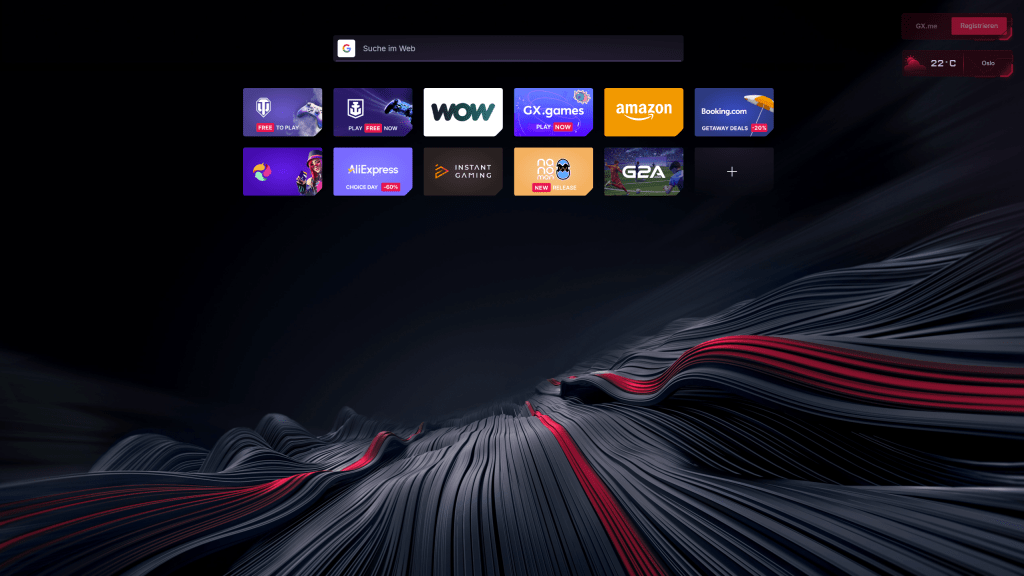
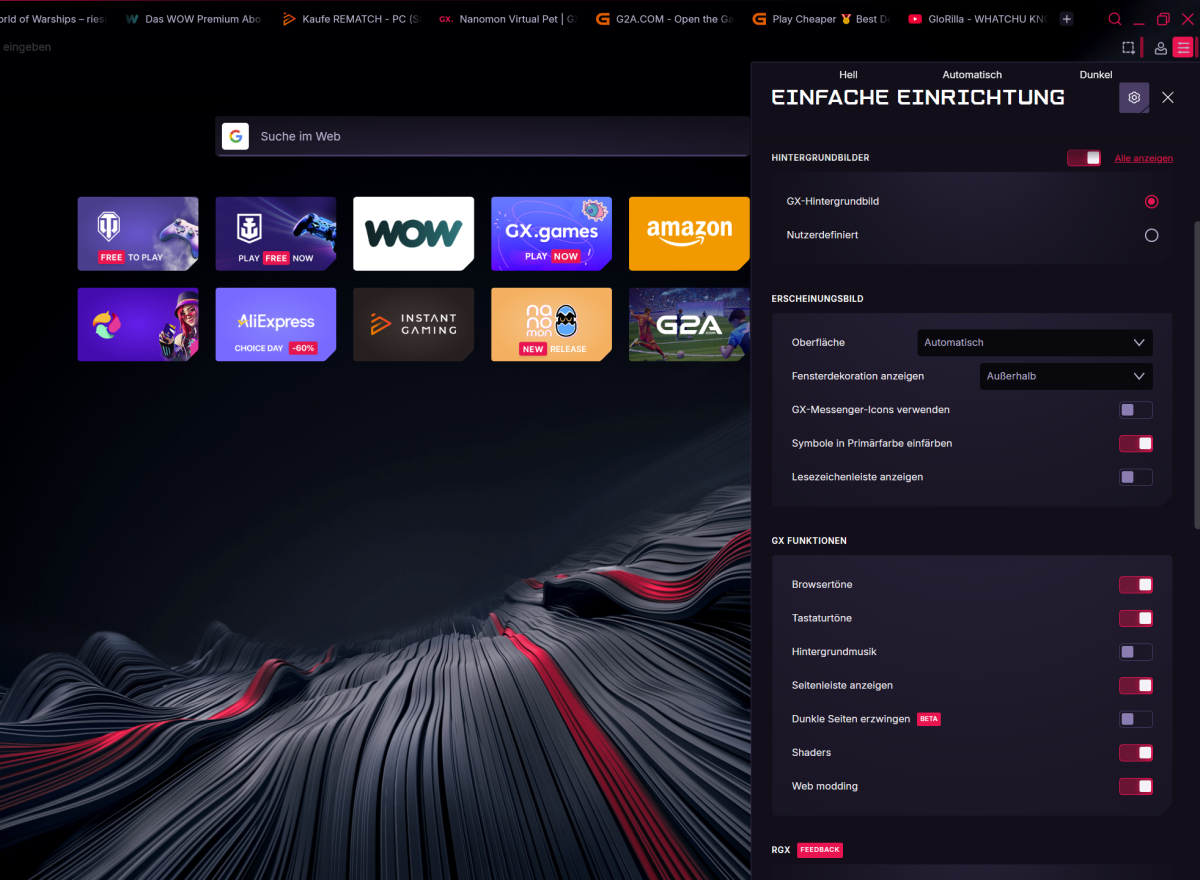
Features matter, but they’re not everything. With Opera GX, style isn’t overlooked, it helps set the mood and it’s done especially well here. The browser is highly customized, from color themes to background music and click sounds.
GX Design is more than just cosmetics, it transforms the browser into a real gaming interface.
You can customize it:
- Color scheme: Choose your favorite color as a theme, from neon blue to toxic green and magenta.
- Background music: A subtle synth soundscape provides focus while browsing and can be quickly switched off again with a click.
- Sound effects: Tab changes, keystrokes, or new messages can trigger your own sounds.
- Wallpapers & themes: Set your own backgrounds or use gaming themes that are updated regularly.
How to activate your customized design:
- Click on the GX menu at the top right (three dashes).
- Go to “Appearance.”
- Choose colors, sounds, and effects to suit your taste–everything can be changed in real time.
If you prefer a quieter look, you can also switch off design options. But if you want to feel a bit like you’re in the start menu of Cyberpunk 2077 as soon as you start your browser, Opera GX is the right choice for you.
Conclusion: Perfect for gamers who value performance and style
Opera GX is ideal for gamers who value performance and style. The browser conserves resources, provides useful gaming news, and looks cool. It also offers many clever features such as GX Control, GX Corner, Twitch and Discord integration, Hot Tabs Killer, and a customizable design. In short, function meets style without compromising the system.
This article originally appeared on our sister publication PC-WELT and was translated and localized from German.