

Business Insights
  • Home
  • Crypto
  • Finance Expert
  • Business
  • Invest News
  • Investing
  • Trading
  • Forex
  • Videos
  • Economy
  • Tech
  • Contact

Archives

  • February 2026
  • January 2026
  • December 2025
  • November 2025
  • October 2025
  • September 2025
  • August 2025
  • July 2025
  • June 2025
  • May 2025
  • April 2025
  • March 2025
  • February 2025
  • January 2025
  • December 2024
  • November 2024
  • October 2024
  • September 2024
  • August 2024
  • July 2024
  • June 2024
  • May 2024
  • April 2024
  • March 2024
  • February 2024
  • August 2023
  • January 2023
  • December 2021
  • July 2021
  • November 2019
  • October 2019
  • September 2019
  • August 2019
  • July 2019
  • June 2019
  • May 2019
  • April 2019
  • March 2019
  • February 2019
  • January 2019

Categories

  • Business
  • Crypto
  • Economy
  • Finance Expert
  • Forex
  • Invest News
  • Investing
  • Tech
  • Trading
  • Uncategorized
  • Videos
Apply Loan
Money Visa
Advertise Us
Money Visa
  • Home
  • Crypto
  • Finance Expert
  • Business
  • Invest News
  • Investing
  • Trading
  • Forex
  • Videos
  • Economy
  • Tech
  • Contact
  • Trading

Enhance Your Trading Strategy with TradingView’s Custom Indicators and Alerts

  • October 3, 2024
  • Roubens Andy King
Total
0
Shares
0
0
0
Total
0
Shares
Share 0
Tweet 0
Pin it 0

Enhance Your Trading Strategy with TradingView's Custom Indicators and Alerts

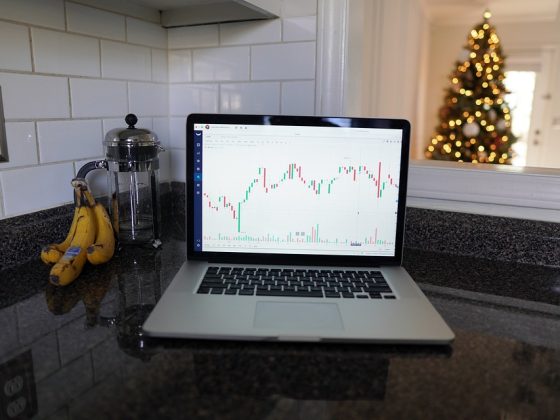
With the rise of online trading platforms, such as TradingView, traders now have access to a wide range of tools and features to enhance their trading strategies. One of the most powerful features available on TradingView is the ability to create custom indicators and alerts. By using custom indicators and alerts, traders can gain valuable insights into market trends and receive notifications when specific conditions are met, allowing them to make more informed trading decisions.

What are Custom Indicators?

Custom indicators are tools that traders can create themselves or download from the TradingView platform to analyze market data and identify potential trading opportunities. These indicators can be used to generate buy and sell signals, highlight key levels of support and resistance, and track market trends over time.

One of the main benefits of custom indicators is that they can be tailored to suit a trader's specific trading style and preferences. By customizing the parameters of an indicator, traders can ensure that it provides them with the most relevant and accurate information for their trading strategy.

How to Create Custom Indicators on TradingView

Creating custom indicators on TradingView is a straightforward process that can be done by following these simple steps:

1. Open the “Pine Editor” tool on TradingView, which is where you can write the code for your custom indicator.

2. Write the code for your indicator using the Pine Script language, which is the programming language used on TradingView. You can find documentation and examples of Pine Script code on the TradingView website to help you get started.

3. Once you have finished writing the code for your indicator, click the “Add to Chart” button to apply it to a chart on TradingView.

4. Your custom indicator will now be displayed on the chart, allowing you to analyze market data and identify trading opportunities based on its output.

Using Alerts with Custom Indicators

In addition to creating custom indicators, traders can also set up alerts on TradingView to receive notifications when specific conditions are met. Alerts can be based on the output of custom indicators, price movements, or other market data, allowing traders to stay informed and react quickly to changing market conditions.

To set up an alert on TradingView, simply right-click on the chart and select “Create Alert.” From there, you can choose the conditions for the alert, such as when a custom indicator crosses a certain threshold or when the price reaches a specific level. You can also choose how you want to be notified, whether it's through email, SMS, or a popup message on the TradingView platform.

By using alerts in conjunction with custom indicators, traders can automate their trading strategy and be alerted to potential trading opportunities without having to constantly monitor the market themselves. This can help traders stay disciplined and avoid missing out on profitable trades.

Benefits of Using Custom Indicators and Alerts

There are several benefits to using custom indicators and alerts on TradingView to enhance your trading strategy:

1. Personalization: By creating custom indicators, traders can tailor their analysis to suit their unique trading style and preferences. This can help traders generate more accurate and relevant trading signals.

2. Automation: Alerts can be set up to notify traders when specific conditions are met, allowing them to react quickly and efficiently to changing market conditions. This can help traders stay disciplined and avoid missing out on profitable opportunities.

3. Insight: Custom indicators can provide traders with valuable insights into market trends and patterns that may not be visible through traditional chart analysis. By using custom indicators, traders can gain a deeper understanding of the market and make more informed trading decisions.

Frequently Asked Questions

Q: Can I use custom indicators on TradingView's mobile app?

A: While the TradingView mobile app does not currently support the creation of custom indicators, you can view and apply custom indicators that have been created on the desktop platform.

Q: Are custom indicators and alerts available for all trading instruments on TradingView?

A: Custom indicators and alerts can be used on a wide range of trading instruments, including stocks, forex, cryptocurrencies, and commodities. Traders can create custom indicators and alerts for any instrument that is supported on the platform.

Q: Do I need to have programming experience to create custom indicators on TradingView?

A: While some programming experience can be helpful, traders can create custom indicators on TradingView using the Pine Script language without any prior coding knowledge. The TradingView website provides documentation and examples to help traders get started with creating their own custom indicators.

In conclusion, custom indicators and alerts can be powerful tools for traders looking to enhance their trading strategy on TradingView. By creating custom indicators that are tailored to their specific trading style and preferences, traders can gain valuable insights into market trends and receive notifications when specific conditions are met. By using custom indicators and alerts in conjunction with each other, traders can automate their trading strategy, stay disciplined, and make more informed decisions in the market.

Total
0
Shares
Share 0
Tweet 0
Pin it 0
Roubens Andy King

Previous Article
10 Tech Tips Every Beginner Should Know
  • Tech

10 Tech Tips Every Beginner Should Know

  • October 3, 2024
  • Roubens Andy King
Read More
Next Article
Boost Your Bottom Line: Essential Business Tips for Small Businesses
  • Business

Boost Your Bottom Line: Essential Business Tips for Small Businesses

  • October 3, 2024
  • Roubens Andy King
Read More
You May Also Like
Amazon is selling  wireless earbuds for  that offer 'incredible noise cancellation'
Read More
  • Trading

Amazon is selling $49 wireless earbuds for $20 that offer 'incredible noise cancellation'

  • Roubens Andy King
  • September 3, 2025
Low-cost airline cancels all international flights over safety issues
Read More
  • Trading

Low-cost airline cancels all international flights over safety issues

  • Roubens Andy King
  • September 2, 2025
Amazon is selling the 'perfect oversized sweater' for only
Read More
  • Trading

Amazon is selling the 'perfect oversized sweater' for only $20

  • Roubens Andy King
  • September 2, 2025
Walmart is offering a rare sale on its bestselling Lego orchid set for a limited time
Read More
  • Trading

Walmart is offering a rare sale on its bestselling Lego orchid set for a limited time

  • Roubens Andy King
  • September 2, 2025
Veteran trader sees key economic signal in surging gold prices
Read More
  • Trading

Veteran trader sees key economic signal in surging gold prices

  • Roubens Andy King
  • September 2, 2025
DraftKings secures a spot in the next big sports gambling state
Read More
  • Trading

DraftKings secures a spot in the next big sports gambling state

  • Roubens Andy King
  • September 2, 2025
Market jitters send stocks lower ahead of jobs data
Read More
  • Trading

Market jitters send stocks lower ahead of jobs data

  • Roubens Andy King
  • September 2, 2025
Burger King Menu Tackles Problem McDonald's, Starbucks Can't Fix
Read More
  • Trading

Burger King Menu Tackles Problem McDonald's, Starbucks Can't Fix

  • Roubens Andy King
  • September 2, 2025

Leave a Reply Cancel reply

Your email address will not be published. Required fields are marked *

Recent Posts

  • Earn Extra Money on Investment | SIP in Mutual Funds & ETFs | How to be Rich from Stock Market?
  • The Florida “Water Sensor” Alert: Why Homeowners are Being Fined $250 for “Illegal” Sprinkler Use
  • Inside Our $440K Reselling Business: Thrift Store Finds & Weekly Sales Revealed!
  • 7 Best Money Management Hacks | Personal Finance Tips | Sonu Sharma
  • 💡 Easy ETF Trading Explained! | Deepak Wadhwa’s Stock Market Tips 💹
Featured Posts
  • Earn Extra Money on Investment | SIP in Mutual Funds & ETFs | How to be Rich from Stock Market? 1
    Earn Extra Money on Investment | SIP in Mutual Funds & ETFs | How to be Rich from Stock Market?
    • February 2, 2026
  • The Florida “Water Sensor” Alert: Why Homeowners are Being Fined 0 for “Illegal” Sprinkler Use 2
    The Florida “Water Sensor” Alert: Why Homeowners are Being Fined $250 for “Illegal” Sprinkler Use
    • February 2, 2026
  • Inside Our 0K Reselling Business: Thrift Store Finds & Weekly Sales Revealed! 3
    Inside Our $440K Reselling Business: Thrift Store Finds & Weekly Sales Revealed!
    • February 1, 2026
  • 7 Best Money Management Hacks | Personal Finance Tips | Sonu Sharma 4
    7 Best Money Management Hacks | Personal Finance Tips | Sonu Sharma
    • January 31, 2026
  • 💡 Easy ETF Trading Explained! | Deepak Wadhwa’s Stock Market Tips 💹 5
    💡 Easy ETF Trading Explained! | Deepak Wadhwa’s Stock Market Tips 💹
    • January 30, 2026
Recent Posts
  • Federal Reserve Board – Federal Reserve Board announces approval of application by Cornerstone Capital Bancorp, Inc.
    Federal Reserve Board – Federal Reserve Board announces approval of application by Cornerstone Capital Bancorp, Inc.
    • January 30, 2026
  • The Fed is heading for an extended pause, unlike the Bank of Japan
    The Fed is heading for an extended pause, unlike the Bank of Japan
    • January 30, 2026
  • First Trade 10th December 2025 : Zee Business Live | Share Market Live Updates | Stock Market News
    First Trade 10th December 2025 : Zee Business Live | Share Market Live Updates | Stock Market News
    • January 29, 2026
Categories
  • Business (2,057)
  • Crypto (2,023)
  • Economy (206)
  • Finance Expert (1,687)
  • Forex (2,016)
  • Invest News (2,429)
  • Investing (2,040)
  • Tech (2,056)
  • Trading (2,024)
  • Uncategorized (2)
  • Videos (960)

Subscribe

Subscribe now to our newsletter

Money Visa
  • Privacy Policy
  • DMCA
  • Terms of Use
Money & Invest Advices

Input your search keywords and press Enter.