
Business Insights
  • Home
  • Crypto
  • Finance Expert
  • Business
  • Invest News
  • Investing
  • Trading
  • Forex
  • Videos
  • Economy
  • Tech
  • Contact

Archives

  • February 2026
  • January 2026
  • December 2025
  • November 2025
  • October 2025
  • September 2025
  • August 2025
  • July 2025
  • June 2025
  • May 2025
  • April 2025
  • March 2025
  • February 2025
  • January 2025
  • December 2024
  • November 2024
  • October 2024
  • September 2024
  • August 2024
  • July 2024
  • June 2024
  • May 2024
  • April 2024
  • March 2024
  • February 2024
  • August 2023
  • January 2023
  • December 2021
  • July 2021
  • November 2019
  • October 2019
  • September 2019
  • August 2019
  • July 2019
  • June 2019
  • May 2019
  • April 2019
  • March 2019
  • February 2019
  • January 2019

Categories

  • Business
  • Crypto
  • Economy
  • Finance Expert
  • Forex
  • Invest News
  • Investing
  • Tech
  • Trading
  • Uncategorized
  • Videos
Apply Loan
Money Visa
Advertise Us
Money Visa
  • Home
  • Crypto
  • Finance Expert
  • Business
  • Invest News
  • Investing
  • Trading
  • Forex
  • Videos
  • Economy
  • Tech
  • Contact
I still use a PC wallpaper app in 2025 and I'm not ashamed of it
  • Tech

I still use a PC wallpaper app in 2025 and I’m not ashamed of it

  • July 11, 2025
  • Roubens Andy King
Total
0
Shares
0
0
0
Total
0
Shares
Share 0
Tweet 0
Pin it 0

When I first learned Photoshop in the early 2000s, I spent a lot of time making desktop wallpapers. I played with filters and custom brushes, Matrix fonts, and inverted colors. You can probably still find my old “portfolio” of them online somewhere. I don’t have time for that anymore, but I do still use a PC wallpaper app. Weird, right?

Here’s the thing: I don’t want fancy or advanced wallpapers. I don’t want them to be “dynamic” or “live,” I don’t want games tucked in the corner, and I don’t want live news or stock ticker details. (As you can tell, I’m not a fan of Windows widgets and notifications, either.)

I just want my wallpapers to be simple yet varied. I want my Windows background to be fresh while my desktop icons remain legible. But because the built-in Windows Spotlight feature doesn’t offer much customization, I prefer to use the Dynamic Theme app instead—and in my humble opinion, it trumps all the premium alternatives.

Why Dynamic Theme beats Spotlight

Dynamic Theme is a freely available dynamic background tool available in the Microsoft Store (rest assured it works well with all recent versions of Windows) that augments the already-pretty-good Windows Spotlight. It’s been around since the Windows 10 days, so I’m not breaking new ground here, but it really is a diamond in the rough. It does everything I need a wallpaper app to do and more, plus it doesn’t cost a thing.

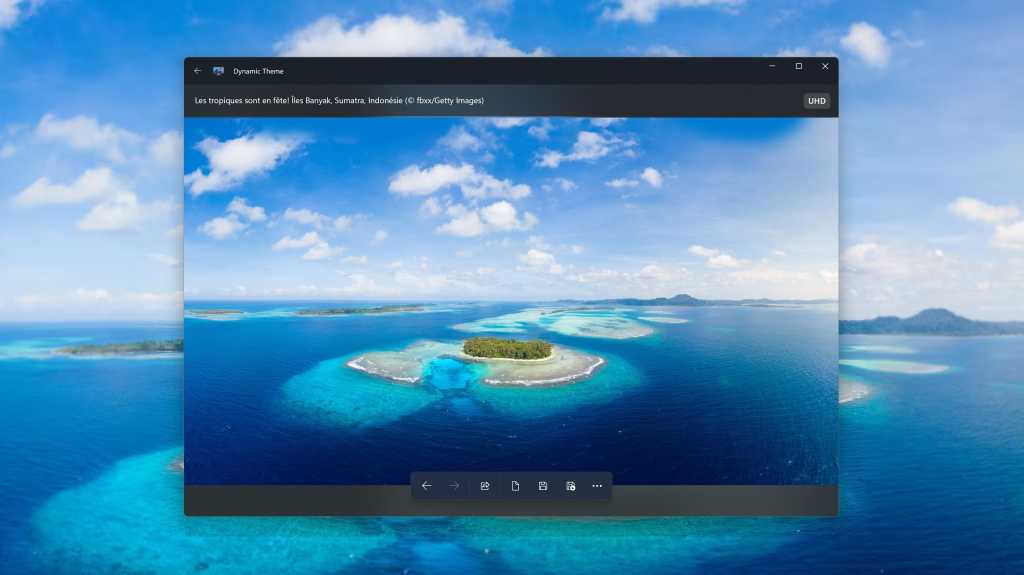
To be fair, I love how Windows Spotlight gives you a new wallpaper every day, and my curiosities are satisfied by the fact I can click on a little info-bubble and get more information about the landscape, building, or vista in the day’s image. But Windows Spotlight is limited to 1080p and you can’t customize it beyond turning it on and off.

Jon Martindale / Foundry

Dynamic Theme takes all the things I like about Windows Spotlight and adds in the customization that’s missing.

With an interface and theme that looks like a native Windows app, Dynamic Theme feels familiar and has a near-zero learning curve. Yet it gives you the ability to customize how your dynamically altered wallpapers change, including what they change to.

You can choose between Windows Spotlight or Bing as sources for your background pictures (the latter of which can be higher resolutions), and you can choose which image is displayed, too, with the ability to cycle through all recent options and pick the one you like the best.
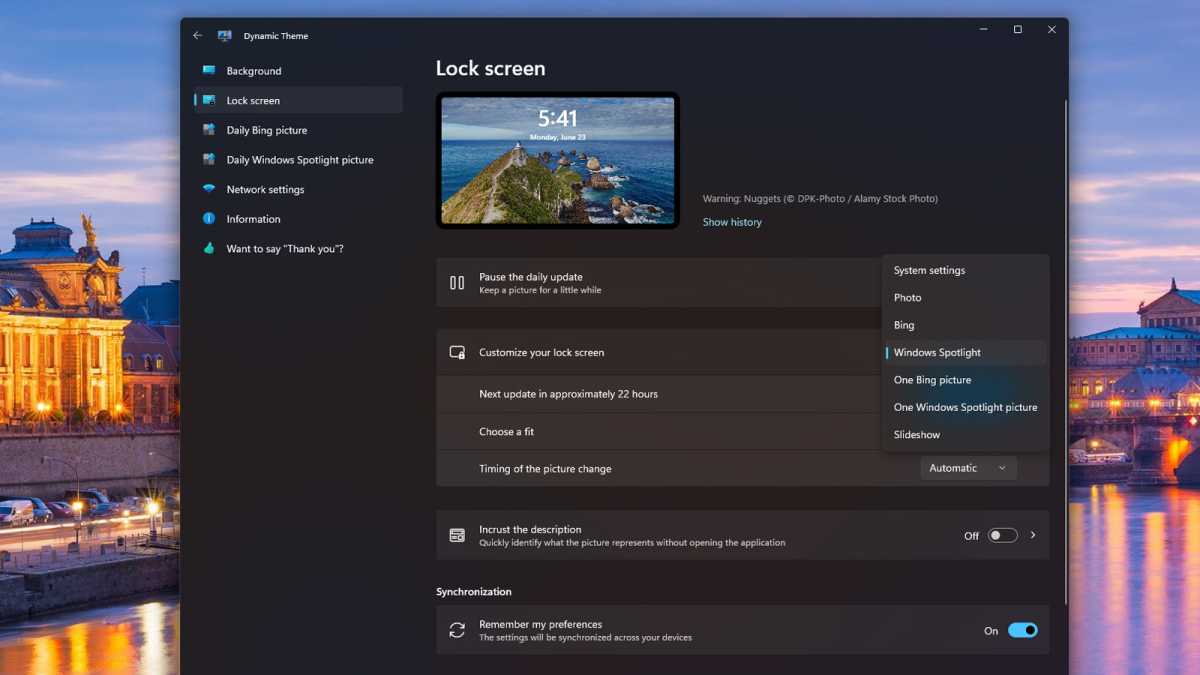
Dynamic Theme lock screen image source options screenshot

Jon Martindale / Foundry

You can have a different image for your desktop background versus your lock screen, choose how the background fits to your screen (useful if you have a monitor with a niche aspect ratio), and tweak the behavior of how the background image actually changes.

You can have the changes happen dynamically, send you a notification when a new one is available, or have it trigger at a certain time of day. You can even have the pictures automatically saved offline so you can go back to them later or use them for something else entirely.

Ditching the ads and the tracking

One of the most lip-curlingly distasteful aspects of Windows Spotlight is that, alongside these gorgeous vistas and click-through insights into what or where I’m looking at, Microsoft also inserts ads for various apps and services into them. The little pop-up bubbles aren’t super distracting, but they’re definitely there—and they take away from the beauty of the backdrop and feel intrusive in an exploitative way.

Dynamic Theme does away with all of that. Since it isn’t using Spotlight to change the wallpaper or lock screen background—just grabbing the images and changing it itself—there are no ads to be seen.
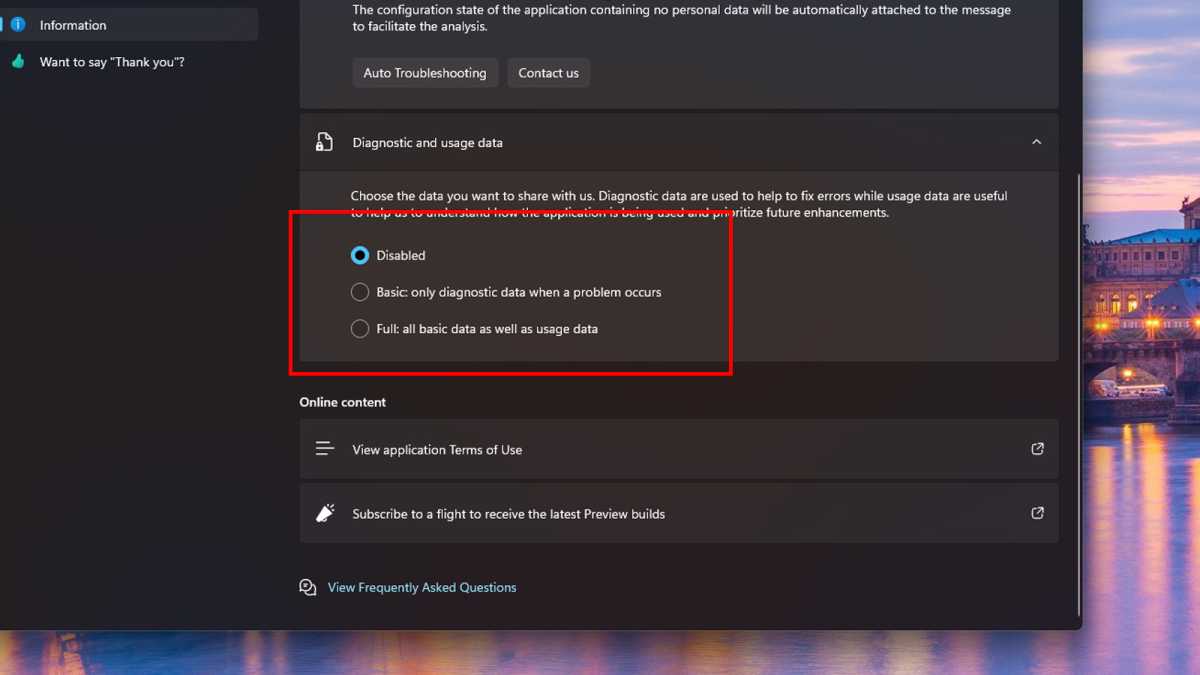
Windows Spotlight disable diagnostic and usage data screenshot

Jon Martindale / Foundry

However, Dynamic Theme does have one distasteful setting of its own. Fortunately, it’s a toggle and totally optional.

Once you’ve downloaded the app and set it up as you like, make sure to navigate to the Information tab in the left-hand menu. Alongside some other useful options—like setting the app’s theme and having quick access to a feedback form—is the heading Diagnostic and usage data.

This is the data collection portion of the app that can collect usage and diagnostic information on you and your machine. Ostensibly, it’s to help fix problems when they occur as well as improve the app’s overall service. But if the app is free, you’re the product. And if that bothers you, it’s great to see that there’s a toggle to Disable this data tracking.

Straightforward, simple, and sublime

The modern world of computing, from the internet we browse to the apps we use to the hardware that runs it all, so often feels bloated, oversold, and aggressively complicated. For that reason, it’s always a treat to find an application that’s so definitively simple.

Dynamic Theme gives you the kind of control that Windows Spotlight should have, while ditching the worst aspects of it. It has a clean, straightforward UI that fits in with your Windows theme of choice and doesn’t take any time to learn to navigate.

It lets you prioritize backgrounds that fit your displays and resolutions, leaning into gorgeous views of our world without messing around with resource-draining dynamic or live backgrounds which are more distracting than anything else.
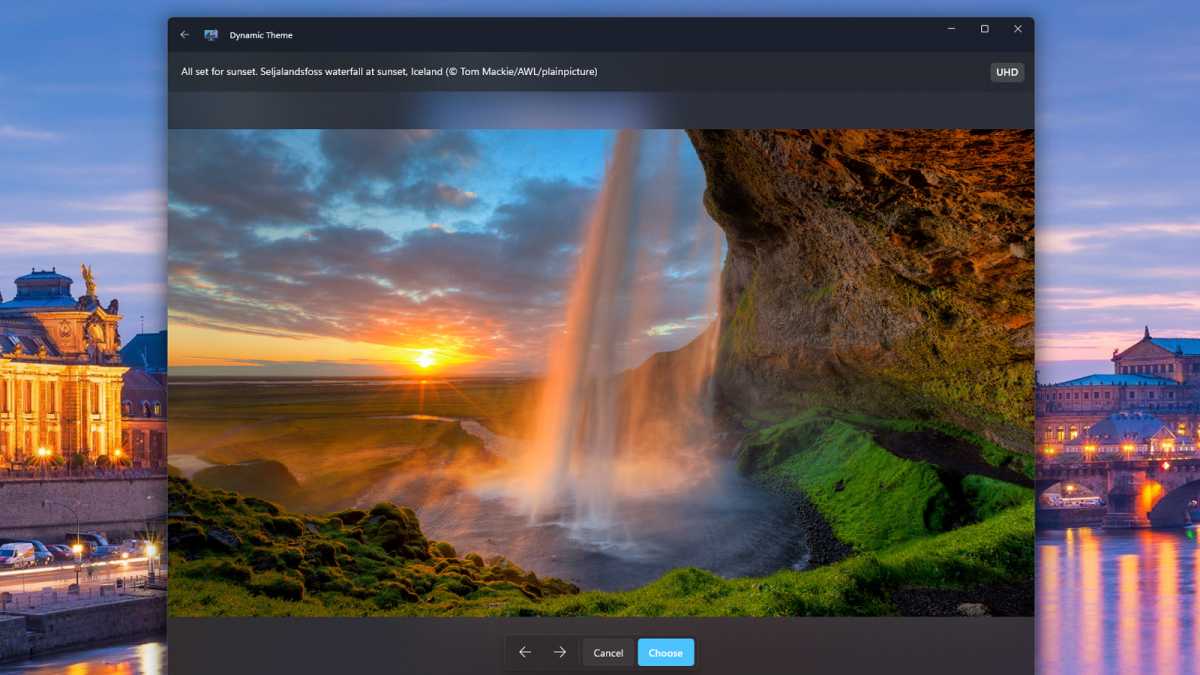
Dynamic Theme easy interface and straightforward usage screenshot

Jon Martindale / Foundry

Dynamic Theme is unashamably old-school in its approach, and it’s exactly the kind of straight-thinking take that I want in something as fundamental to the Windows experience as an attractive, useful wallpaper that makes sure I can see my icons but remains fresh and dynamic.

It changes when I want, how I want, and in a manner that doesn’t overstep its bounds. There’s no paid premium version and no ads. Just gorgeous pictures for my background and lock screen. I don’t have to scroll through a wallpaper site, find the right resolution or aspect ratio, or have my GPU working hard just to display the backdrop.

Sometimes the best tools aren’t the latest and greatest. They’re the ones that continue doing the same great job they’ve always done. Dynamic Theme is one of them. Long may it continue.

Further reading: Useful hidden gem Windows apps worth using

Total
0
Shares
Share 0
Tweet 0
Pin it 0
Roubens Andy King

Previous Article
Terra Clean Energy Ramps Up Summer Drilling Plans, Eyes Resource Update
  • Invest News

Terra Clean Energy Ramps Up Summer Drilling Plans, Eyes Resource Update

  • July 11, 2025
  • Roubens Andy King
Read More
Next Article
Hiltzik: The death of the ‘click to cancel’ rule
  • Business

Hiltzik: The death of the ‘click to cancel’ rule

  • July 11, 2025
  • Roubens Andy King
Read More
You May Also Like
Disney Settles FTC Complaint With YouTube Over Children’s Data Collection
Read More
  • Tech

Disney Settles FTC Complaint With YouTube Over Children’s Data Collection

  • Roubens Andy King
  • September 3, 2025
This HP laptop with an astonishing 32GB of RAM is just 1
Read More
  • Tech

This HP laptop with an astonishing 32GB of RAM is just $261

  • Roubens Andy King
  • September 3, 2025
Hot deal: Samsung Galaxy S25 Edge plummets to record-low price!
Read More
  • Tech

Hot deal: Samsung Galaxy S25 Edge plummets to record-low price!

  • Roubens Andy King
  • September 3, 2025
007 First Light looks like a hit, man
Read More
  • Tech

007 First Light looks like a hit, man

  • Roubens Andy King
  • September 3, 2025
Amazon’s Tomb Raider series will star Sophie Turner as Lara Croft
Read More
  • Tech

Amazon’s Tomb Raider series will star Sophie Turner as Lara Croft

  • Roubens Andy King
  • September 3, 2025
Orchard Robotics, founded by a Thiel fellow Cornell dropout, raises M for farm vision AI 
Read More
  • Tech

Orchard Robotics, founded by a Thiel fellow Cornell dropout, raises $22M for farm vision AI 

  • Roubens Andy King
  • September 3, 2025
Meta launches an Instagram app for the iPad, 15 years after its mobile app; it is slightly different than the mobile app, opening directly to a feed of Reels (Mia Sato/The Verge)
Read More
  • Tech

Meta launches an Instagram app for the iPad, 15 years after its mobile app; it is slightly different than the mobile app, opening directly to a feed of Reels (Mia Sato/The Verge)

  • Roubens Andy King
  • September 3, 2025
Acer Swift Air 16 laptop weighs less than 1kg, with a 16-inch screen, up to 32GB memory, and up to 1TB storage
Read More
  • Tech

Acer Swift Air 16 laptop weighs less than 1kg, with a 16-inch screen, up to 32GB memory, and up to 1TB storage

  • Roubens Andy King
  • September 3, 2025

Recent Posts

  • Rhinestone decorating business idea 💡 #trending #businessidea
  • Nischa Shah: They’re Lying To You About Buying a House! My 652510 Rule Built $200K Passive Income!
  • Should you invest in GOLD & SILVER?
  • The 11 Best-Selling Safety Gadgets on Amazon for Seniors Living Alone
  • Federal Reserve Board – Federal Reserve Board announces approval of application by Fulton Financial Corporation
Featured Posts
  • Rhinestone decorating business idea 💡 #trending #businessidea 1
    Rhinestone decorating business idea 💡 #trending #businessidea
    • February 22, 2026
  • Nischa Shah: They’re Lying To You About Buying a House! My 652510 Rule Built 0K Passive Income! 2
    Nischa Shah: They’re Lying To You About Buying a House! My 652510 Rule Built $200K Passive Income!
    • February 21, 2026
  • Should you invest in GOLD & SILVER? 3
    Should you invest in GOLD & SILVER?
    • February 20, 2026
  • The 11 Best-Selling Safety Gadgets on Amazon for Seniors Living Alone 4
    The 11 Best-Selling Safety Gadgets on Amazon for Seniors Living Alone
    • February 19, 2026
  • Federal Reserve Board – Federal Reserve Board announces approval of application by Fulton Financial Corporation 5
    Federal Reserve Board – Federal Reserve Board announces approval of application by Fulton Financial Corporation
    • February 19, 2026
Recent Posts
  • Life Lessons From People Who Inherited A Family Business | Life Lessons
    Life Lessons From People Who Inherited A Family Business | Life Lessons
    • February 19, 2026
  • Federal Reserve Board – Federal Reserve Board announces it will hold a hybrid public outreach meeting on Thursday, March 26, as part of its review of regulations under the Economic Growth and Regulatory Paperwork Reduction Act (EGRPRA)
    Federal Reserve Board – Federal Reserve Board announces it will hold a hybrid public outreach meeting on Thursday, March 26, as part of its review of regulations under the Economic Growth and Regulatory Paperwork Reduction Act (EGRPRA)
    • February 19, 2026
  • Excelsoft Technologies IPO Review
    Excelsoft Technologies IPO Review
    • February 18, 2026
Categories
  • Business (2,057)
  • Crypto (2,023)
  • Economy (217)
  • Finance Expert (1,687)
  • Forex (2,016)
  • Invest News (2,438)
  • Investing (2,040)
  • Tech (2,056)
  • Trading (2,024)
  • Uncategorized (2)
  • Videos (980)

Subscribe

Subscribe now to our newsletter

Money Visa
  • Privacy Policy
  • DMCA
  • Terms of Use
Money & Invest Advices

Input your search keywords and press Enter.